Sell or purchase items without risk!
Faced with the need for players to safely trade their items for tibia coins, two new trading methods were added,
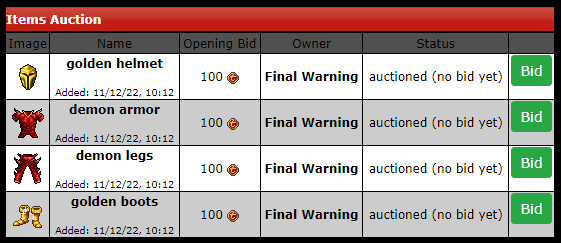
Item Bazaar based on the auction system located in the
Store tab and the
Store Coin Voucher a scroll where you transfer your coins to trade between players for other things ingame.
Item Bazaar
Log in to submit a bid to
purchase a item from another player for your Tibia account!
To
sell a item from your account to another player, log and set up an auction.
Note that items can
only be purchased with Tibia Coins!
Adding auction:
With the desired item in your character use the command !auction item, min bid.
Example: (
!auction royal helmet, 100) so the minimum bid for the royal helmet will be 100 tibia coins.
Duration:
The duration of an auction lasts 5 days and only starts when someone makes a bid.
Fees:
5% fee will be charged at the end of the auction to the owner of the item.
30% fee will be charged for those who bid and do not pay. Even if you don\'t have tibia coins in your account, you will have a negative balance.
Item Delivery:
The delivery of the item will be made on the next server save as soon as the auction ends. The item will be sent directly to the depot inbox.
Removing Auction:
You can remove the item from the auction only if no one has bid, and the item will be delivered on the next Server Save.
Store Coin Voucher
Gift
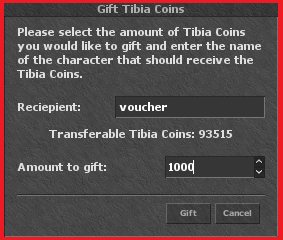
voucher is an alternative for quick negotiations to create a voucher just go to the transfer coins option located in the ingame store and in reciepient instead of sending it to another player put
"Voucher" and the desired amount of tibia coins after that the voucher will be sent to your store inbox.
 Store Coin Voucher.
This store coin voucher has 900 tibia coins.
It Belongs to Final Warning.
There is a
fee for creating the voucher of
10% of the total coins added, so when sending for example
1000 tibia coins only
900 tibia coins will be added to the voucher but this fee is
returned if you use the scroll
yourself.


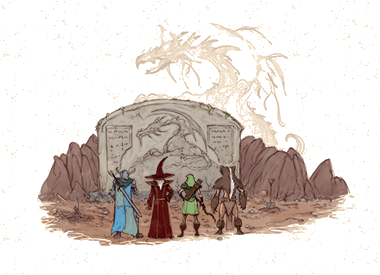 Rumour has it that new clues about the first dragon that had direct contact with humans, Garsharak's son, have come to light. Being the chatterbox he is, Vigintius may know a thing or two about it so make sure to squeeze out any bit of information he has to share.
Embark on an adveturous journey across the tibian lands as you search for traces of the First Dragon and his descendants, the ancestors of dragons as we know them.
Will
Rumour has it that new clues about the first dragon that had direct contact with humans, Garsharak's son, have come to light. Being the chatterbox he is, Vigintius may know a thing or two about it so make sure to squeeze out any bit of information he has to share.
Embark on an adveturous journey across the tibian lands as you search for traces of the First Dragon and his descendants, the ancestors of dragons as we know them.
Will you be able to discover their whereabouts? And even more important, do you have what it takes to face these legendary creatures? Find out if there is more to the tale of a beautfiul festive garment that once fell into the claws of the First Dragon and has been lost ever since.
Between the server saves of January 14 and February 12 you have the opportunity to show your skills against various dragon species. Defeat the fearsome beasts and prove yourself worthy to face the First Dragon.
you be able to discover their whereabouts? And even more important, do you have what it takes to face these legendary creatures? Find out if there is more to the tale of a beautfiul festive garment that once fell into the claws of the First Dragon and has been lost ever since.
Between the server saves of January 14 and February 12 you have the opportunity to show your skills against various dragon species. Defeat the fearsome beasts and prove yourself worthy to face the First Dragon.
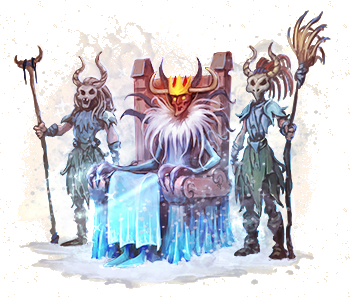 you feel the frozen wind coming from the sea? Do you feel the coldness spreading across the land?